
In today’s interconnected business landscape, managing customer relationships and ensuring the smooth operation of IT infrastructure are paramount. Businesses often grapple with the challenge of choosing the right tools to effectively handle these critical aspects. Two prominent solutions vying for attention are Customer Relationship Management (CRM) and Remote Monitoring and Management (RMM) systems. While both aim to improve business operations, they address fundamentally different needs and serve distinct purposes.
CRM systems are designed to streamline interactions with customers and prospects, focusing on sales, marketing, and customer service. They provide a centralized platform to manage customer data, track interactions, and nurture relationships to drive revenue and improve customer satisfaction. RMM systems, on the other hand, are geared towards managing IT infrastructure remotely. They enable IT professionals to monitor devices, automate maintenance tasks, and proactively address issues to ensure optimal performance and security.
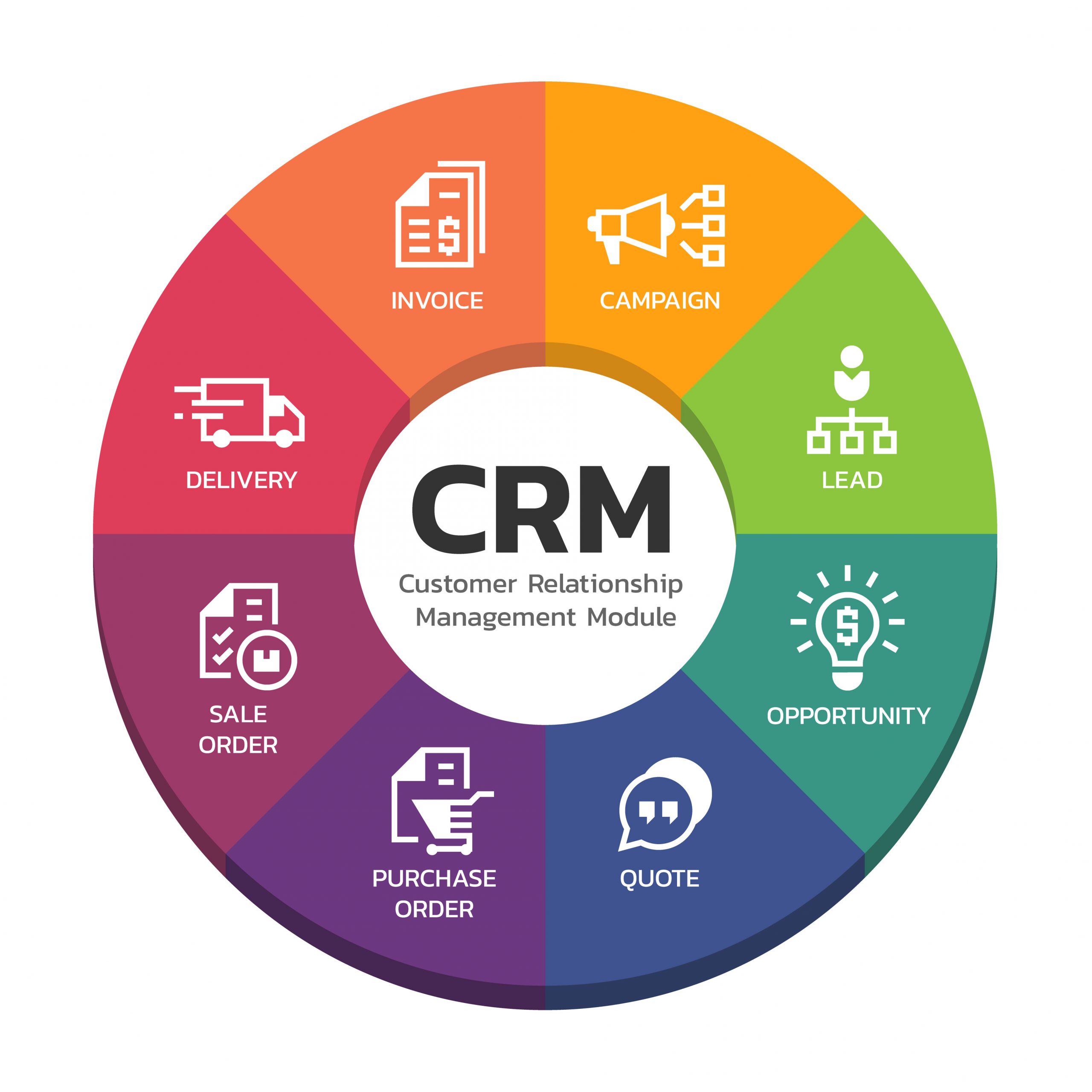
Understanding the core functionalities, benefits, and limitations of both CRM and RMM systems is crucial for making an informed decision. This article delves into a detailed comparison of CRM and RMM, outlining their key features, target users, and use cases. By carefully evaluating your business needs and considering the specific requirements of your customer and device management strategies, you can determine which tool, or combination of tools, is best suited to propel your business forward.
Understanding Customer Relationship Management (CRM)
CRM systems are the cornerstone of modern customer-centric businesses. They provide a unified platform for managing all aspects of customer interactions, from initial contact to ongoing support. The primary goal of a CRM is to improve customer relationships, increase sales, and enhance overall customer satisfaction. By centralizing customer data and automating key processes, CRMs empower businesses to deliver personalized experiences and build lasting relationships.
Key Features of CRM Systems
A robust CRM system typically includes the following features:
- Contact Management: Centralized database for storing and managing customer and prospect information, including contact details, demographics, and communication history.
- Sales Force Automation: Tools for managing leads, opportunities, and sales pipelines, including automated task reminders, sales forecasting, and deal tracking.
- Marketing Automation: Features for creating and executing marketing campaigns, including email marketing, social media integration, and lead nurturing.
- Customer Service Management: Functionality for managing customer inquiries, resolving issues, and providing ongoing support, including ticketing systems, knowledge bases, and live chat.
- Reporting and Analytics: Dashboards and reports that provide insights into customer behavior, sales performance, and marketing effectiveness.
Benefits of Implementing a CRM System
Implementing a CRM system offers several significant benefits:
- Improved Customer Relationships: By centralizing customer data and providing a comprehensive view of each customer, CRMs enable businesses to deliver personalized experiences and build stronger relationships.
- Increased Sales: CRM systems streamline the sales process, improve lead management, and provide sales teams with the tools they need to close more deals.
- Enhanced Marketing Effectiveness: CRM systems enable businesses to target their marketing efforts more effectively, track campaign performance, and generate higher-quality leads.
- Improved Customer Service: CRM systems empower customer service teams to resolve issues more quickly and efficiently, leading to higher customer satisfaction.
- Better Decision-Making: CRM systems provide valuable insights into customer behavior, sales performance, and marketing effectiveness, enabling businesses to make more informed decisions.
Common CRM Use Cases
CRM systems are used across a wide range of industries and business functions. Some common use cases include:
- Sales: Managing leads, tracking opportunities, and closing deals.
- Marketing: Running email marketing campaigns, managing social media interactions, and nurturing leads.
- Customer Service: Resolving customer issues, providing support, and managing customer feedback.
- Account Management: Managing customer accounts, tracking interactions, and identifying opportunities for upselling and cross-selling.
- Project Management: Tracking project progress, managing tasks, and collaborating with team members.
Understanding Remote Monitoring and Management (RMM)
RMM systems are essential tools for managed service providers (MSPs) and IT departments responsible for managing and maintaining IT infrastructure remotely. They provide a centralized platform for monitoring devices, automating maintenance tasks, and proactively addressing issues to ensure optimal performance and security. RMM systems enable IT professionals to manage large numbers of devices efficiently and effectively, reducing downtime and improving overall IT service delivery.
Key Features of RMM Systems
A comprehensive RMM system typically includes the following features:
- Remote Monitoring: Real-time monitoring of devices, servers, and networks to detect potential issues before they impact users.
- Automated Maintenance: Automated patching, software updates, and other routine maintenance tasks to keep devices running smoothly.
- Remote Access: Secure remote access to devices for troubleshooting and support.
- Alerting and Ticketing: Automated alerts for critical issues and integration with ticketing systems for efficient issue resolution.
- Reporting and Analytics: Dashboards and reports that provide insights into device performance, security vulnerabilities, and overall IT health.
Benefits of Implementing an RMM System
Implementing an RMM system offers several significant benefits:
- Proactive Issue Resolution: RMM systems enable IT professionals to identify and resolve issues before they impact users, reducing downtime and improving productivity.
- Improved Security: RMM systems help to ensure that devices are properly patched and secured, reducing the risk of security breaches.
- Increased Efficiency: RMM systems automate routine maintenance tasks, freeing up IT professionals to focus on more strategic initiatives.
- Reduced Costs: By proactively addressing issues and automating maintenance tasks, RMM systems can help to reduce IT costs.
- Improved IT Service Delivery: RMM systems enable IT professionals to deliver higher-quality IT services to their users.
Common RMM Use Cases
RMM systems are used across a wide range of industries and IT environments. Some common use cases include:
- Managed Services: Providing remote IT support and management services to businesses.
- Network Monitoring: Monitoring network performance and security.
- Server Management: Managing and maintaining servers remotely.
- Endpoint Management: Managing and securing desktop computers, laptops, and mobile devices.
- Security Monitoring: Monitoring for security threats and vulnerabilities.
CRM vs. RMM: A Detailed Comparison
While both CRM and RMM systems are valuable tools for businesses, they serve different purposes and address different needs. Here’s a detailed comparison of the two:
Focus
- CRM: Focuses on managing customer relationships and improving customer satisfaction.
- RMM: Focuses on managing IT infrastructure and ensuring optimal performance and security.
Target Users
- CRM: Sales teams, marketing teams, customer service teams, account managers.
- RMM: IT professionals, managed service providers (MSPs).
Key Features
- CRM: Contact management, sales force automation, marketing automation, customer service management, reporting and analytics.
- RMM: Remote monitoring, automated maintenance, remote access, alerting and ticketing, reporting and analytics.
Benefits
- CRM: Improved customer relationships, increased sales, enhanced marketing effectiveness, improved customer service, better decision-making.
- RMM: Proactive issue resolution, improved security, increased efficiency, reduced costs, improved IT service delivery.
Data Managed
- CRM: Customer data, contact information, sales data, marketing campaign data, customer service interactions.
- RMM: Device data, server data, network data, security data, performance metrics.
Choosing the Right Tool: Which One Do You Need?
The decision of whether to implement a CRM or an RMM system depends on your specific business needs and priorities. Consider the following factors:
Your Business Goals
- If your primary goal is to improve customer relationships, increase sales, and enhance customer satisfaction, then a CRM system is the right choice.
- If your primary goal is to manage IT infrastructure, ensure optimal performance and security, and reduce IT costs, then an RMM system is the right choice.
Your Target Users
- If your target users are sales teams, marketing teams, and customer service teams, then a CRM system is the right choice.
- If your target users are IT professionals and managed service providers, then an RMM system is the right choice.
Your Budget
- CRM and RMM systems vary in price, so consider your budget when making a decision. Some solutions offer tiered pricing based on features and number of users or devices.
Integration Capabilities
- Consider whether the CRM or RMM system integrates with your existing business systems. Integration can streamline workflows and improve data accuracy. For example, integrating a CRM with an accounting system can automate invoicing and payment tracking.
Can You Use Both CRM and RMM Together?
In many cases, businesses can benefit from using both CRM and RMM systems. While they address different needs, they can be integrated to provide a more comprehensive view of your business operations. For example, an MSP could integrate their RMM system with their CRM to track customer IT service requests and manage customer relationships more effectively.
Integration between CRM and RMM can provide a holistic view of the customer, combining customer-related data with device and network performance information. This integrated approach can lead to better customer service, proactive problem solving, and improved overall business performance.
Conclusion
Choosing between a CRM and an RMM system is not an “either/or” decision. The best approach depends on your specific business needs and priorities. CRM systems are essential for managing customer relationships and driving sales, while RMM systems are crucial for managing IT infrastructure and ensuring optimal performance and security. By carefully evaluating your business needs and considering the benefits of both systems, you can make an informed decision that will help you achieve your business goals. In some cases, integrating both systems can provide the most comprehensive solution, offering a complete view of your customers and your IT infrastructure.
Conclusion
Ultimately, the choice between a CRM and an RMM system boils down to understanding your core business needs and priorities. As we’ve explored, a CRM excels at nurturing customer relationships, managing sales pipelines, and providing valuable insights into customer behavior. An RMM, on the other hand, focuses on proactive device monitoring, remote support, and automated maintenance, ensuring the smooth operation of your clients’ IT infrastructure. There’s no single “best” solution; the ideal tool depends entirely on whether your primary focus is on strengthening customer engagement or optimizing device performance.
In reflecting on the capabilities of both CRM and RMM solutions, it’s clear that they are not mutually exclusive. In fact, many businesses find that integrating the two can create a powerful synergy, allowing for a holistic view of both the customer and their technological environment. Consider carefully evaluating your current needs and future goals to determine which system, or combination of systems, best aligns with your strategic objectives. If you’re ready to take the next step in optimizing your customer and device management, explore the leading CRM and RMM solutions available today and discover how they can transform your business. A good starting point would be to research integrated solutions, or even consider a demo of each tool to see how they fit into your day-to-day operations.
Frequently Asked Questions (FAQ) about CRM vs RMM: Choosing the Best Tool for Customer and Device Management
What is the key difference between a CRM (Customer Relationship Management) system and an RMM (Remote Monitoring and Management) platform, and when should I use each?
The key difference lies in their primary focus. A CRM system is designed to manage and nurture relationships with your customers. It centralizes customer data, including contact information, interactions, sales history, and support tickets, helping businesses improve customer satisfaction, increase sales, and streamline marketing efforts. Think of it as the hub for all customer-related activities. You should use a CRM when you need to manage customer interactions, track sales pipelines, and improve customer retention.
An RMM platform, on the other hand, focuses on managing and monitoring devices and networks remotely. It allows IT professionals to proactively monitor system health, automate maintenance tasks, deploy software updates, and resolve technical issues without physically being present. RMM is essential for managed service providers (MSPs) and IT departments responsible for maintaining a large number of endpoints. Use an RMM when you need to ensure uptime, security, and performance of your IT infrastructure.
Can a small business benefit from using both a CRM and an RMM solution, or is one usually sufficient, and what factors should influence that decision?
Yes, a small business can benefit from using both a CRM and an RMM solution, especially if they have both a significant customer base and IT infrastructure to manage. While one might seem sufficient initially, the combined power offers comprehensive business management. Several factors should influence the decision. If the business heavily relies on technology and needs to proactively manage its IT infrastructure to prevent downtime and ensure security, an RMM is crucial. If the business prioritizes customer relationships, sales growth, and marketing effectiveness, a CRM is essential.
Businesses offering IT services or requiring robust IT management should consider both. The cost is a significant factor; evaluate the ROI of each solution. Integration capabilities are also vital. Some CRMs and RMMs offer integrations that streamline workflows. Ultimately, the decision depends on the specific needs, priorities, and budget of the small business.
What are some potential integrations between a CRM system and an RMM platform that can improve efficiency and provide a more complete view of the customer and their IT environment?
Integrating a CRM and RMM can significantly enhance efficiency and provide a holistic view of the customer. One powerful integration is automatically creating CRM tickets from RMM alerts. For example, if an RMM detects a server outage for a specific customer, a support ticket is automatically generated in the CRM, notifying the relevant team. Another useful integration is synchronizing customer information. This ensures that contact details, service agreements, and device information are consistent across both platforms, preventing data silos and improving accuracy. With the basics of IT infrastructure understood, What Is Remote Monitoring and Management (RMM)? is a logical next step in optimizing those operations
.
Furthermore, RMM data can be displayed within the CRM, giving sales and support teams visibility into the customer’s IT environment, such as device health, installed software, and network performance. This context allows for more informed conversations and proactive support. Automated billing based on RMM data can also streamline invoicing for managed services. These integrations improve operational efficiency, enhance customer service, and provide a more complete understanding of the customer’s needs and IT landscape.