
In today’s competitive business landscape, proactive and personalized marketing is no longer a luxury, but a necessity. Businesses are constantly seeking ways to improve customer engagement, drive sales, and build lasting relationships. While Customer Relationship Management (CRM) systems provide a centralized hub for customer data, their true potential is unlocked when integrated with other key business tools. One such powerful integration involves leveraging data from Remote Monitoring and Management (RMM) platforms to trigger targeted marketing campaigns.
RMM platforms, primarily used by Managed Service Providers (MSPs) and IT departments, offer a wealth of information about the health, performance, and security of managed systems. This data, often overlooked for marketing purposes, can provide valuable insights into customer needs, pain points, and technology adoption patterns. By strategically connecting RMM data with CRM systems, businesses can create highly personalized and timely marketing campaigns that resonate with their target audience, leading to increased conversion rates and customer satisfaction.
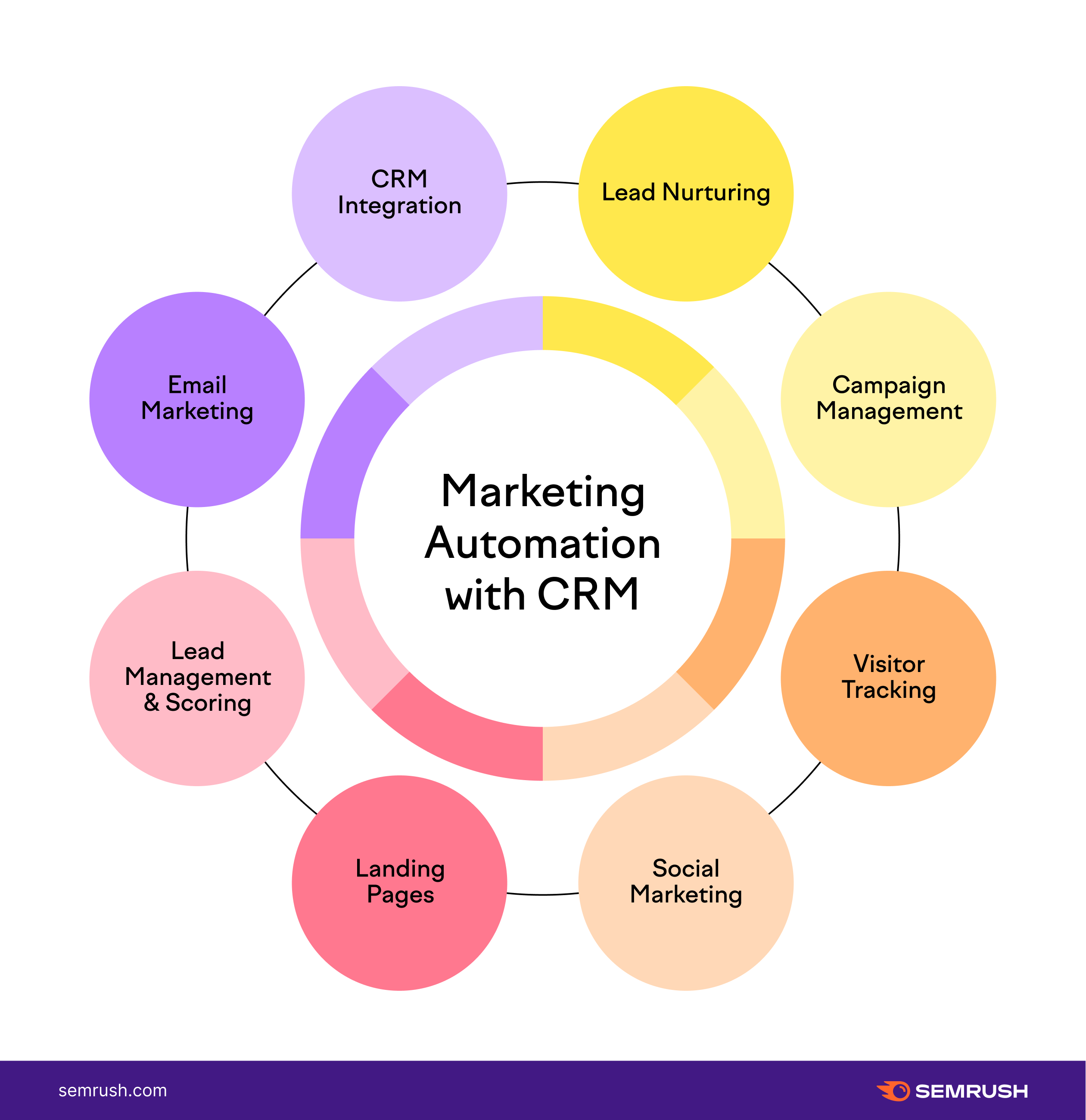
This article explores how to effectively use RMM data to drive CRM-triggered marketing campaigns. We will delve into the types of RMM data that can be leveraged, the benefits of this integration, the steps involved in setting up the connection, and real-world examples of successful campaigns. By understanding the power of RMM data and its integration with CRM, businesses can transform their marketing efforts from generic broadcasts to targeted, data-driven strategies that deliver tangible results.
Understanding RMM and CRM Systems
Before diving into the integration of RMM and CRM data, it’s crucial to understand the core functionalities of each system. To enhance customer engagement and streamline business processes, consider Combining Crm & marketing automation
What is an RMM System?
Remote Monitoring and Management (RMM) systems are software platforms used to remotely monitor and manage IT infrastructure, including servers, workstations, network devices, and applications. RMM tools provide real-time visibility into system performance, security threats, and potential issues. They typically offer features such as:. With the constant evolution of IT infrastructure, it’s important to understand the tools used to maintain its health and stability, What Is Remote Monitoring and Management (RMM)? a software solution often employed by managed service providers (MSPs)
.
- Remote Access: Allows IT professionals to remotely access and control managed devices for troubleshooting and maintenance.
- Patch Management: Automates the process of applying security patches and software updates to keep systems secure and up-to-date.
- Alerting and Monitoring: Provides real-time alerts when critical system events occur, such as server outages, security breaches, or performance bottlenecks.
- Asset Management: Tracks hardware and software inventory, providing a comprehensive view of the IT environment.
- Reporting: Generates reports on system performance, security status, and other key metrics.
RMM systems are essential for MSPs and IT departments to proactively manage IT infrastructure, prevent downtime, and ensure optimal performance.
What is a CRM System?
Customer Relationship Management (CRM) systems are software platforms used to manage interactions with current and potential customers. CRM systems provide a centralized repository for customer data, including contact information, sales history, communication logs, and marketing interactions. They typically offer features such as:
- Contact Management: Stores and organizes customer contact information, making it easy to access and manage customer data.
- Sales Automation: Automates sales processes, such as lead management, opportunity tracking, and quote generation.
- Marketing Automation: Automates marketing campaigns, such as email marketing, social media marketing, and lead nurturing.
- Customer Service: Provides tools for managing customer support requests, tracking customer issues, and resolving customer problems.
- Reporting and Analytics: Generates reports on sales performance, marketing effectiveness, and customer satisfaction.
CRM systems are essential for businesses to build strong customer relationships, improve sales performance, and enhance customer satisfaction.
Leveraging RMM Data for CRM-Triggered Campaigns
The key to successful RMM–CRM integration lies in identifying the types of RMM data that can be used to trigger relevant and personalized marketing campaigns. Here are some examples:. Improving user satisfaction often involves Enhancing Help Desk capabilities to better address their needs
Hardware and Software Inventory Data
RMM systems track the hardware and software installed on managed devices. This data can be used to identify opportunities for upselling, cross-selling, and targeted promotions. For example:
- Hardware Upgrades: If an RMM system detects that a customer’s hardware is nearing end-of-life or experiencing performance issues, a CRM-triggered campaign can offer upgrade options.
- Software Updates: If a customer is using an outdated version of a software application, a CRM-triggered campaign can promote the latest version with improved features and security.
- Cross-Selling Opportunities: If a customer is using a specific software application, a CRM-triggered campaign can promote complementary products or services.
Performance and Security Data
RMM systems monitor system performance and security threats. This data can be used to identify customers who are experiencing specific issues and offer solutions. For example:. Effective sales strategies require careful consideration of various metrics, with Roi Crm Rmm representing key areas to optimize for business growth
- Performance Issues: If an RMM system detects that a customer’s server is experiencing performance bottlenecks, a CRM-triggered campaign can offer performance optimization services.
- Security Threats: If an RMM system detects a security breach or vulnerability, a CRM-triggered campaign can offer security assessments, incident response services, or security software solutions.
- Storage Capacity: When storage capacity reaches a certain threshold, trigger a campaign to offer additional storage solutions or cloud migration services.
Alerting and Monitoring Data
RMM systems generate alerts when critical system events occur. This data can be used to proactively address customer issues and provide timely support. For example:
- Server Outages: If an RMM system detects a server outage, a CRM-triggered campaign can automatically notify the customer and provide updates on the restoration process.
- Application Errors: If an RMM system detects an application error, a CRM-triggered campaign can offer troubleshooting assistance or software support.
- Backup Failures: If a backup fails, trigger a campaign outlining the risks and promoting a review of their backup and disaster recovery plan.
Benefits of RMM–CRM Integration
Integrating RMM data with CRM offers several significant benefits:
Increased Customer Engagement
By leveraging RMM data to personalize marketing campaigns, businesses can create more relevant and engaging content that resonates with their target audience. This leads to increased open rates, click-through rates, and conversion rates.
Improved Sales Performance
RMM data provides valuable insights into customer needs and pain points, enabling sales teams to identify and pursue qualified leads. This leads to increased sales opportunities and improved sales performance.
Enhanced Customer Satisfaction
By proactively addressing customer issues and providing timely support, businesses can enhance customer satisfaction and build stronger customer relationships. CRM-triggered campaigns can be used to provide regular updates, offer helpful resources, and solicit feedback.
Reduced Churn
Proactive monitoring and support, driven by RMM data and communicated through CRM, can help reduce customer churn by addressing potential issues before they escalate.
Data-Driven Decision Making
Integrating RMM and CRM provides a comprehensive view of the customer relationship, enabling businesses to make data-driven decisions about marketing, sales, and customer service strategies.
Setting Up the RMM–CRM Integration
Setting up the integration between RMM and CRM requires careful planning and execution. Here are the key steps involved:
Choose the Right Integration Method
There are several ways to integrate RMM and CRM systems, including:
- Native Integrations: Some RMM and CRM vendors offer native integrations that provide seamless data synchronization.
- Third-Party Integrations: Third-party integration platforms can be used to connect RMM and CRM systems.
- Custom Integrations: Custom integrations can be developed to meet specific business requirements.
The best integration method will depend on the specific RMM and CRM systems being used, as well as the business’s technical capabilities and budget.
Map RMM Data to CRM Fields
Once the integration method is chosen, it’s important to map the relevant RMM data to the corresponding fields in the CRM system. This ensures that the data is accurately transferred and can be used to trigger marketing campaigns. Choosing the right customer relationship management system can be daunting, and proper research is essential, so understanding the key features is a crucial step in Guide Selecting Crm
Define Triggering Events
Define the specific RMM events that will trigger marketing campaigns in the CRM system. These events should be carefully chosen to ensure that the campaigns are relevant and timely.
Create Targeted Marketing Campaigns
Develop targeted marketing campaigns that are tailored to the specific RMM data and triggering events. These campaigns should be designed to address customer needs, offer solutions, and drive sales.
Test and Monitor the Integration
Thoroughly test the integration to ensure that the data is being accurately transferred and the marketing campaigns are being triggered correctly. Continuously monitor the integration to identify and resolve any issues.
Real-World Examples
Here are a few examples of how businesses can use RMM data to drive CRM-triggered marketing campaigns:
Example 1: Security Threat Detection
Scenario: An RMM system detects a malware infection on a customer’s workstation.
CRM-Triggered Campaign: The CRM system automatically sends an email to the customer notifying them of the infection and offering malware removal services. The email includes a link to schedule a consultation with a security expert.
Example 2: Hardware Upgrade Opportunity
Scenario: An RMM system detects that a customer’s server is nearing end-of-life.
CRM-Triggered Campaign: The CRM system automatically sends an email to the customer highlighting the benefits of upgrading to a new server, such as improved performance, increased reliability, and enhanced security. The email includes a personalized quote for a new server configuration.
Example 3: Storage Capacity Alert
Scenario: An RMM system detects that a customer’s cloud storage is nearing capacity.
CRM-Triggered Campaign: The CRM system automatically sends an email offering options for increasing storage capacity, migrating to a more scalable solution, or optimizing existing storage usage. The email includes a case study of a similar customer who successfully addressed their storage challenges.
Conclusion
Integrating RMM data with CRM opens up a world of possibilities for creating highly personalized and effective marketing campaigns. By leveraging the wealth of information available in RMM systems, businesses can gain a deeper understanding of their customers’ needs, proactively address their pain points, and drive significant improvements in customer engagement, sales performance, and customer satisfaction. While setting up the integration requires careful planning and execution, the benefits far outweigh the effort. By embracing this data-driven approach, businesses can transform their marketing efforts from generic broadcasts to targeted strategies that deliver tangible results and build lasting customer relationships. To find the optimal solution, consider the unique needs of your business as you explore Best Crm Msps
Conclusion
In conclusion, leveraging the wealth of data available within your Remote Monitoring and Management (RMM) platform to inform and trigger CRM-based marketing campaigns represents a significant opportunity for MSPs to enhance client engagement, drive revenue growth, and solidify their position as trusted advisors. By strategically integrating these two systems, MSPs can move beyond reactive support and proactively deliver targeted, value-added communications that resonate with clients’ specific needs and pain points.
The ability to identify upsell opportunities, prevent churn through proactive issue resolution, and personalize marketing messages based on real-time infrastructure data provides a competitive edge in today’s dynamic market. We encourage you to explore the potential of connecting your RMM and CRM systems. Take the first step towards a more data-driven marketing strategy by assessing your current RMM data capabilities and identifying key opportunities for integration. To learn more about specific integration techniques and best practices, visit our resource page: https://www.example.com/rmm-crm-integration. Don’t wait; start transforming your RMM data into marketing intelligence today!
Frequently Asked Questions (FAQ) about Using RMM Data to Drive CRM-Triggered Marketing Campaigns
How can I use data from my Remote Monitoring and Management (RMM) platform to trigger automated marketing campaigns in my CRM system?
Integrating your Remote Monitoring and Management (RMM) platform with your Customer Relationship Management (CRM) system can significantly enhance your marketing efforts. You can use RMM data, such as alerts about failing hardware, approaching warranty expirations, or detected software vulnerabilities, to automatically trigger targeted marketing campaigns within your CRM. For example, if an RMM detects that a client’s server hard drive is nearing capacity, you could trigger a campaign promoting storage upgrades or cloud migration services. Similarly, detecting outdated software versions can trigger a campaign highlighting the benefits of security updates and managed patching services. The key is to map RMM alerts to relevant CRM segments and create automated workflows that deliver timely and personalized messages to your clients. This proactive approach not only addresses potential issues but also positions you as a trusted advisor, increasing customer satisfaction and driving sales.
What are the key RMM data points I should be tracking to effectively segment my CRM audience for marketing campaigns?
To effectively segment your CRM audience using RMM data, focus on data points that indicate specific customer needs or opportunities. Crucial RMM data points include: Hardware Health Status (e.g., failing hard drives, overheating CPUs), which can trigger campaigns for hardware upgrades or replacements; Software Version and Patch Status (e.g., outdated operating systems, missing security patches), which can initiate campaigns for managed patching services or security audits; Warranty Expiration Dates, which can prompt campaigns for extended warranties or hardware refresh cycles; Resource Utilization (e.g., high CPU usage, low disk space), which can trigger campaigns for cloud migration or resource optimization services; and Security Alerts (e.g., malware detections, suspicious network activity), which can initiate campaigns for enhanced security solutions or incident response services. By tracking these data points and segmenting your CRM audience accordingly, you can deliver highly targeted and relevant marketing messages that resonate with your customers’ specific needs and challenges.
What are some best practices for integrating RMM data with my CRM to avoid overwhelming customers with irrelevant marketing messages?
Integrating RMM data with your CRM for marketing requires careful planning to avoid overwhelming customers. First, implement robust segmentation strategies based on specific RMM data points and customer profiles. Avoid broad, generic campaigns. Second, establish clear triggers and rules for automated campaigns. Ensure that only relevant events in your RMM system initiate specific marketing actions within your CRM. Third, implement frequency capping to limit the number of marketing messages a customer receives within a given timeframe. Fourth, provide clear opt-in/opt-out options for customers to control the types of communications they receive. Fifth, monitor campaign performance and adjust your segmentation and messaging based on customer engagement metrics. Regularly review your integration and refine your approach based on data and feedback. This prevents alert fatigue and ensures customers receive relevant and valuable information.